

Cards
Cards are the visual representation of your domain entities. Create classes, interfaces, enums, and records with attributes, methods, and DDD patterns.
Card types
Choose the right card type for your domain model. Each type generates different code patterns.
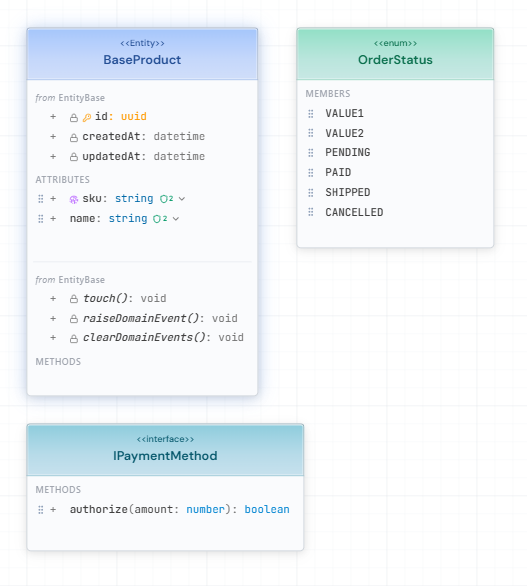
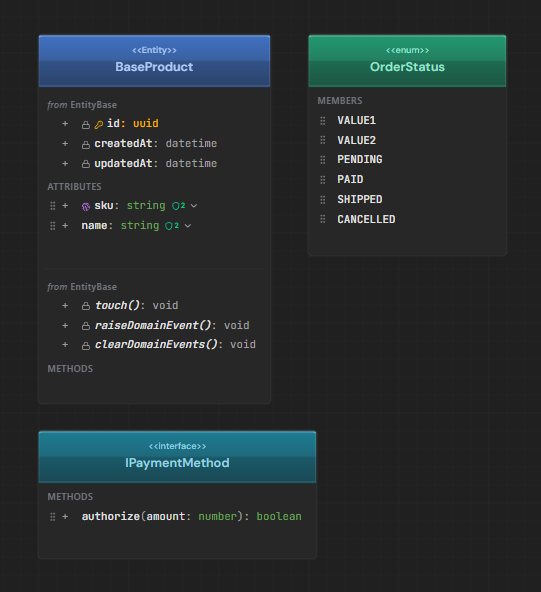
Class
Standard domain class with attributes and methods. Most common choice for entities. Generates entity classes, DTOs, repositories, and EF Core configurations.
Interface
Contract definition without implementation. Use for abstractions and ports in Clean Architecture. Implementing classes inherit the method signatures.
Enum
Fixed set of named values. Perfect for status codes, types, and categorical data. Generates enum definitions with optional string/numeric backing.
Abstract
Base class template that cannot be instantiated. Use for inheritance hierarchies where you want to share common attributes and methods.
Record
Immutable value type with value equality. Ideal for DTOs and Value Objects. Automatically generates equality comparison based on all properties.
Tip
DDD patterns
Apply Domain-Driven Design patterns to your cards. Each pattern affects code generation and behavior.
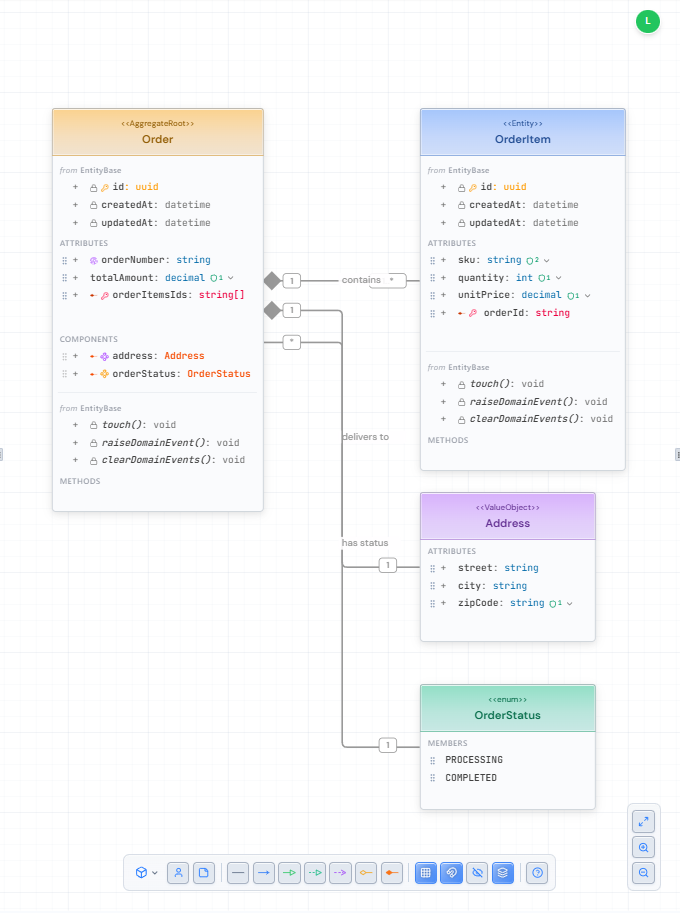
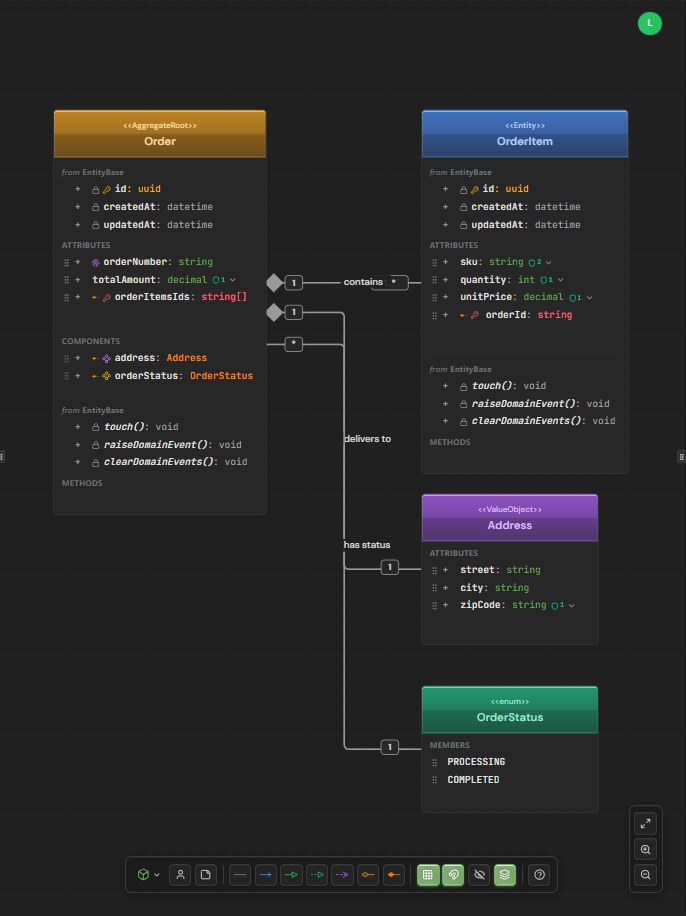
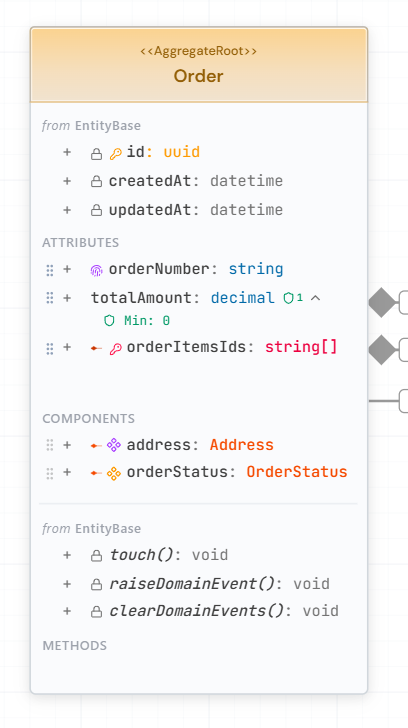
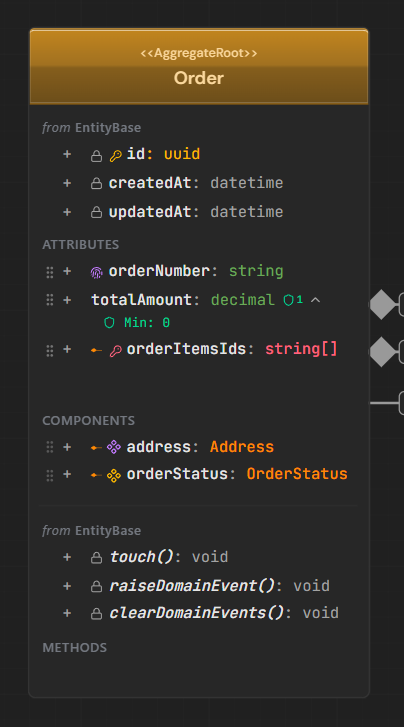
Aggregate Root
Entry point for a consistency boundary. Generates Repository, Use Cases (CRUD), and Controller. Always LOCAL scope - cannot be shared across bounded contexts. Shown with amber color indicator.
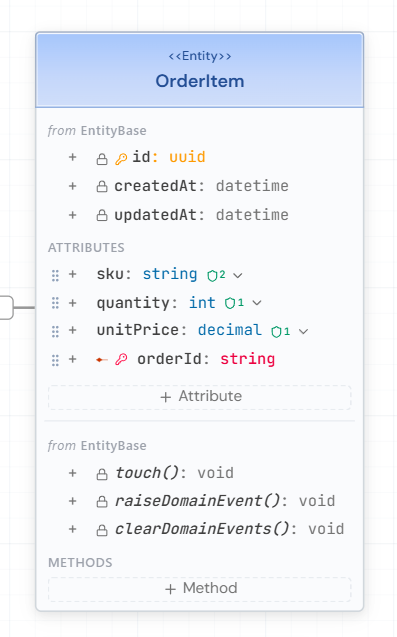
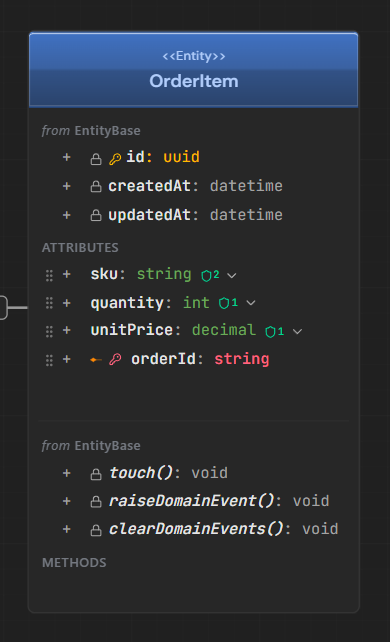
Entity
Domain object with unique identity. Can be standalone or owned by an aggregate via composition. CRUD generation depends on ownership - standalone entities get their own repository, owned entities are managed through their aggregate.
Value Object
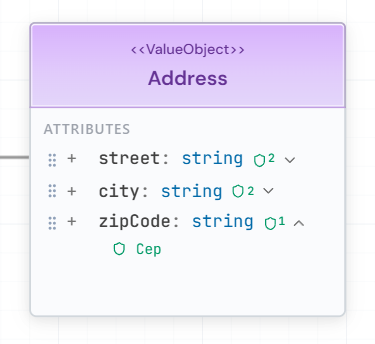
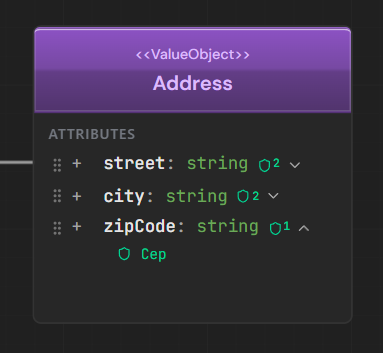
Immutable, identity-less object defined by its attributes. Embedded in parent entities as components. Can be shared across bounded contexts. Perfect for concepts like Address, Money, or DateRange.
Info
Configuring cards
Select a card to configure its properties in the right sidebar. The panel adapts based on card type.
Name & Type
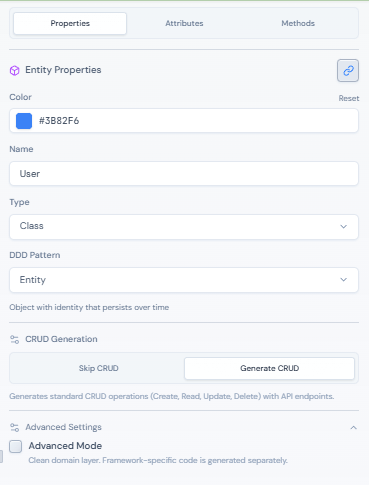
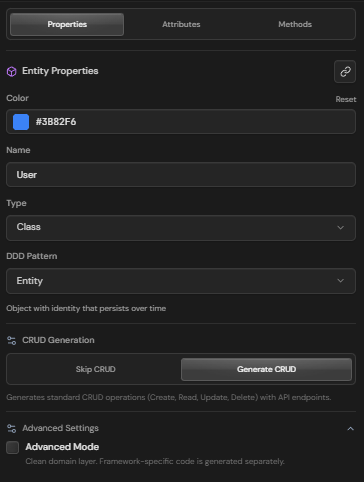
Configure the card name and choose between Class, Interface, Enum, Abstract, or Record. The type determines which tabs and options are available.
Header Color
Customize the visual appearance with a color picker. Each card can have a unique header color for easy identification. Reset to default blue anytime.
DDD Pattern
Select Aggregate Root, Entity, or Value Object to define the domain role. This affects code generation, CRUD behavior, and scope options.
Scope
Choose LOCAL (bounded context) or SHARED (cross-context). Aggregate Roots are always LOCAL and cannot be shared.
CRUD Generation
Override default behavior for Repository, Use Cases, and Controller generation. By default, Aggregate Roots and standalone entities get full CRUD.
Attributes
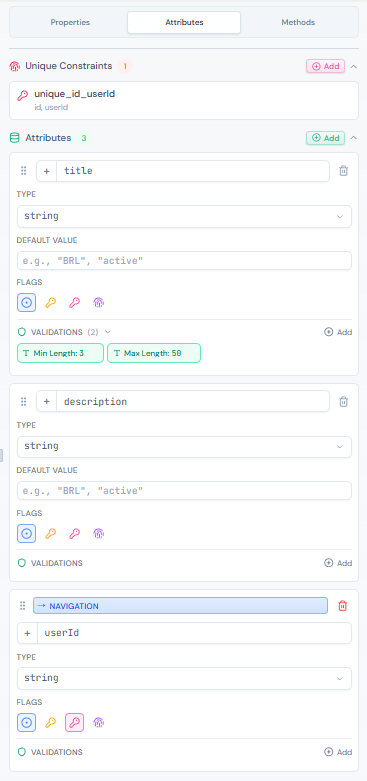
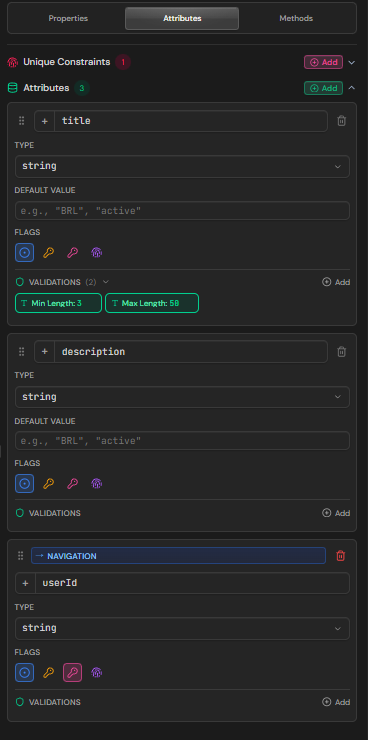
Define the data your card holds. Each attribute has a type, visibility, and optional validations.
| Property | Description |
|---|---|
| Name | The attribute identifier |
| Type | Data type: string, int, bool, datetime, uuid, decimal, or custom |
| Visibility | Access modifier: public (+), private (-), protected (#) |
| Nullable | Whether the attribute can be null/undefined |
| Default | Default value when not provided |
| Identity | Marks as primary key (only one per card) |
| Unique | Single-attribute unique constraint |
Add attributes
Click the + button in the Attributes tab or directly on the card. Set name and type using the dropdown or by typing a custom type.
Configure visibility
Click the visibility icon to cycle through: public (+) → private (-) → protected (#) → public (+). Most attributes are public by default.
Set nullable
Toggle the nullable button to allow null values. Required attributes show a * indicator and generate appropriate validation.
Add default value
Expand attribute options to set a default value. Type-specific inputs are available: boolean dropdown, number input, date picker, or text field.
Validations
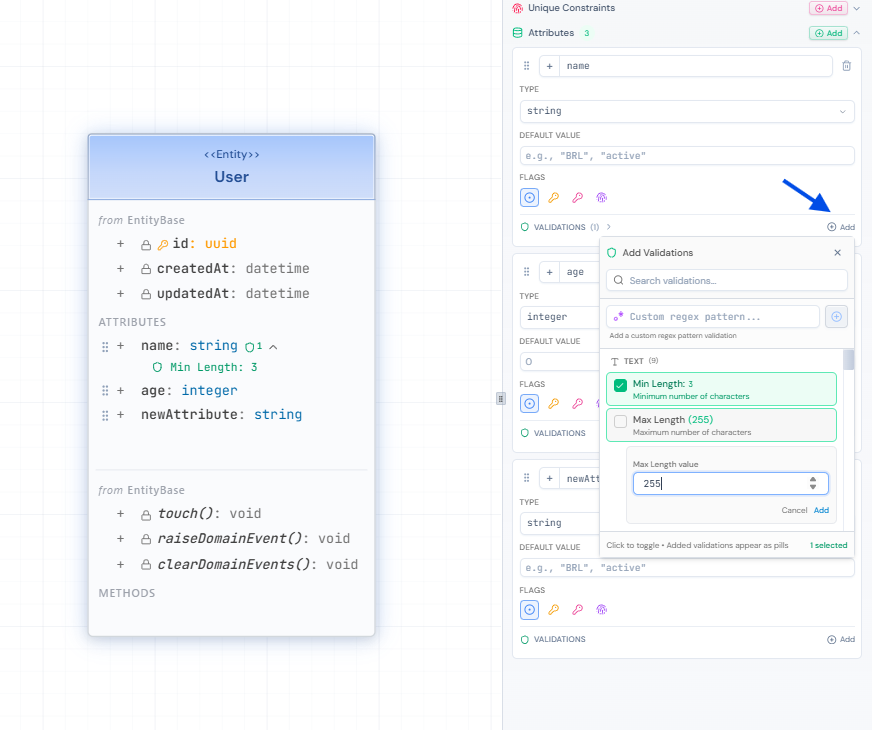
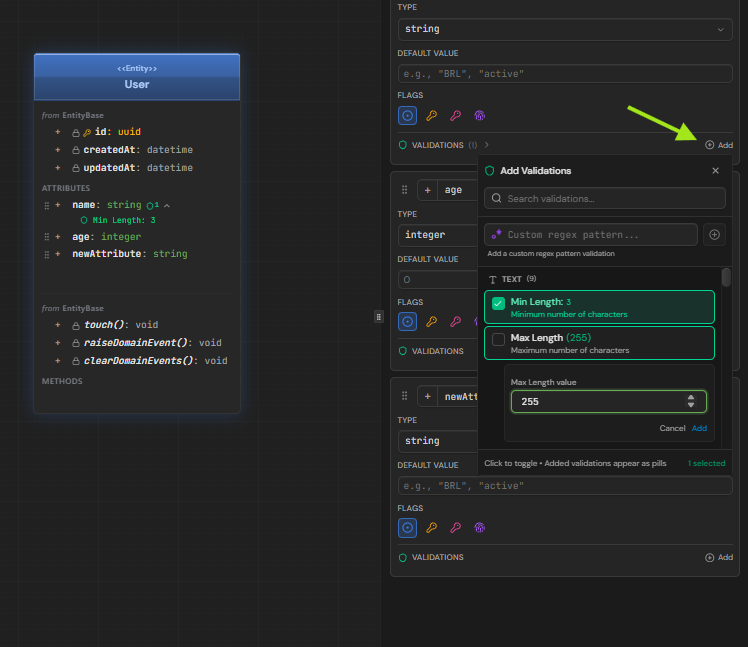
Add validation rules to ensure data integrity. Validations are enforced in generated code.
| Rule | Description | Example |
|---|---|---|
| required | Cannot be null or empty | - |
| minLength | Minimum string length | 3 |
| maxLength | Maximum string length | 100 |
| min | Minimum numeric value | 0 |
| max | Maximum numeric value | 1000 |
| Valid email format | - | |
| url | Valid URL format | - |
| pattern | Regex pattern match | ^[A-Z]{2}\d{4}$ |
Tip
Generated validation examples
AeroCoding generates validations across multiple layers of your architecture. Here's how validations flow from your visual schema to production code:
public sealed class User : Entity{ public string Name { get; private set; } public string Email { get; private set; } public int? Age { get; private set; } public static Result<User> Create(string name, string email, int? age) { var nameResult = Validate.String(name, nameof(Name)) .Required() .MinLength(3) .MaxLength(100) .Build(); var emailResult = Validate.String(email, nameof(Email)) .Required() .Email() .Build(); var ageResult = age is null ? Result<int?>.Ok(null) : Validate.Number(age.Value, nameof(Age)) .Between(0, 150) .Build() .Map(v => (int?)v); return Result.Combine(nameResult, emailResult, ageResult) .Map(() => new User { Name = nameResult.Value!, Email = emailResult.Value!, Age = ageResult.Value }); }}public static class CreateUser{ public record Input( [Required, MinLength(3), MaxLength(100)] string Name, [Required, EmailAddress] string Email, [Range(0, 150)] int? Age ); public record Output(UserDto User);}public class UserConfiguration : IEntityTypeConfiguration<User>{ public void Configure(EntityTypeBuilder<User> builder) { builder.ToTable("users"); builder.HasKey(e => e.Id); builder.Property(e => e.Name) .IsRequired() .HasMaxLength(100); builder.Property(e => e.Email) .IsRequired() .HasMaxLength(255); builder.Property(e => e.Age); builder.HasIndex(e => e.Email) .IsUnique(); }}Unique constraints
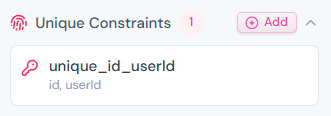
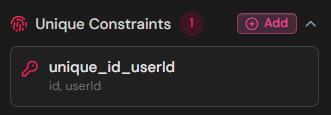
Define composite unique keys when multiple attributes together must be unique. Essential for join entities and many-to-many relationships.
Create constraint
In the Properties tab, scroll to Unique Constraints section and click 'Add Group' to create a new composite constraint.
Select attributes
Choose 2 or more attributes that together form a unique combination. For example, workspaceId + userId for workspace membership.
Name the constraint
A name is auto-generated like 'unique_workspace_user', but you can customize it to match your naming conventions.
Info
Tip
Methods
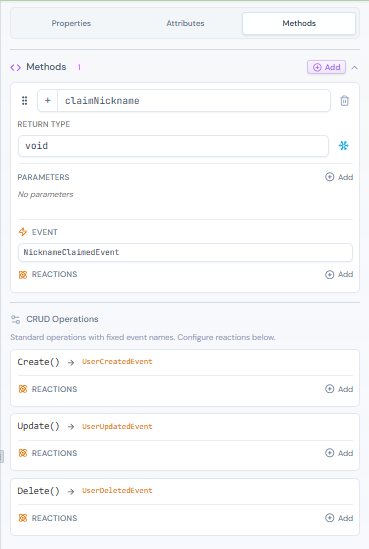
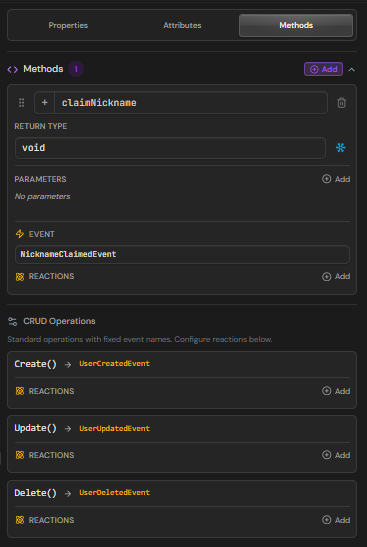
Define behavior and operations for your cards. Methods appear in generated domain classes.
| Property | Description |
|---|---|
| Name | Method identifier (camelCase) |
| Return Type | Return value type or void |
| Visibility | public, private, or protected |
| Static | Class-level method, no instance needed |
| Abstract | Signature only, implementation in subclasses |
| Parameters | Input parameters with name and type |
Add methods
Click + in the Methods tab. Name your method and set the return type using the dropdown or a custom type.
Add parameters
Expand the method to add parameters. Each parameter has a name and type. Parameters appear in the generated method signature.
Mark as static
Toggle static for utility methods that don't need instance data. Static methods are called on the class, not an instance.
Info
Reactions
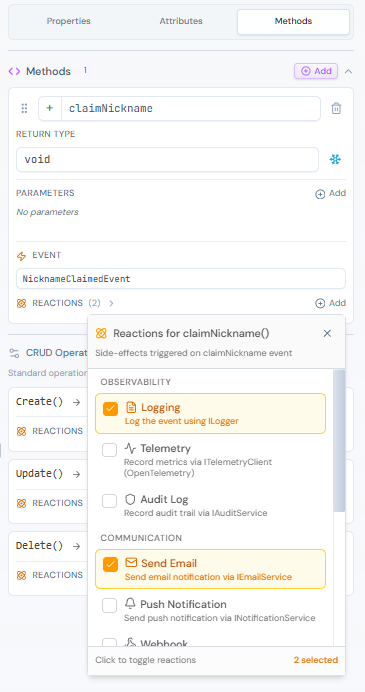
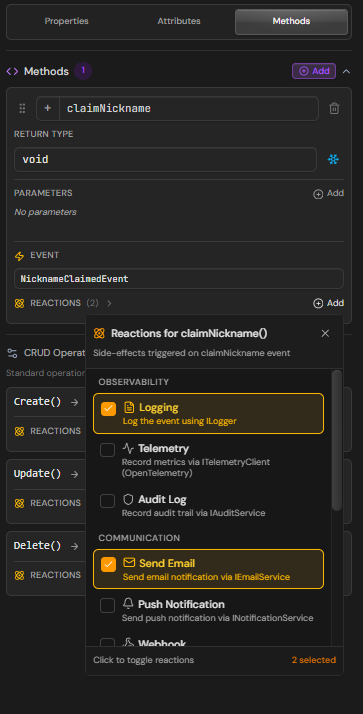
Configure automatic responses to domain events. Reactions trigger when entities are created, updated, or deleted.
| Reaction Type | Description |
|---|---|
| logging | Log the event to the application logger |
| telemetry | Send metrics to observability platform |
| Send email notification | |
| notification | Push notification to users |
| cache_invalidate | Invalidate related cache entries |
| webhook | Call external HTTP endpoint |
| saga | Trigger a distributed saga/workflow |
| audit | Record to audit log |
| custom | Custom handler implementation |
Add reaction
In the Methods tab, expand a method and click 'Add Reaction'. Choose the trigger event: created, updated, deleted, or custom.
Configure type
Select the reaction type from the dropdown. Each type generates the appropriate handler code and infrastructure.
Set execution mode
Choose sync (blocking) or async (fire-and-forget) execution. Async is recommended for non-critical reactions.
Info
Enum members
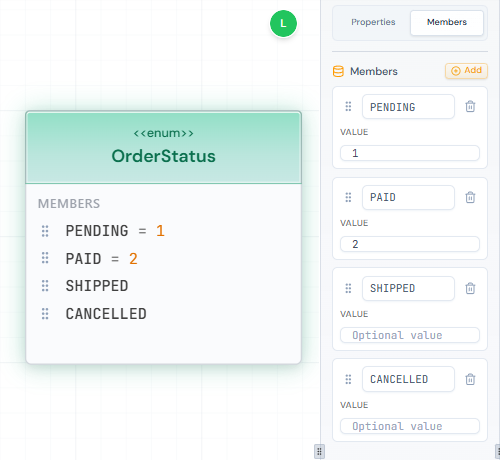
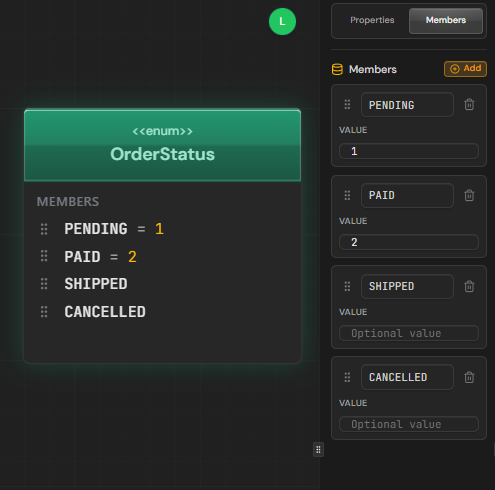
Define the values for your enum cards. Each member can have an explicit value.
Add members
Click + to add new enum values. Names are auto-formatted to UPPER_CASE following enum naming conventions.
Set explicit values
Optionally assign numeric or string values to members. If not set, values are auto-assigned starting from 0.
Reorder members
Drag members to change their order. Order matters for numeric enums without explicit values.
public enum OrderStatus{ Pending = 0, Processing = 1, Shipped = 2, Delivered = 3, Cancelled = 4}Domain mode
Choose between Pure and Advanced domain modeling. This affects how annotations and framework code are generated.
Pure mode (default)
Clean domain layer with no framework dependencies. Annotations like [Required] are generated separately in infrastructure layer. Best for Clean Architecture purists.
Advanced mode
Full control over annotations directly in domain entities. Framework-specific attributes appear in the domain layer. Faster development, less abstraction.
Warning
Annotations
Add framework-specific decorators and attributes to your cards. Available in Advanced domain mode.


| Category | Examples |
|---|---|
| Column | [Column], [MaxLength], [Precision] |
| Key | [Key], [DatabaseGenerated] |
| Relation | [ForeignKey], [InverseProperty] |
| Index | [Index], [UniqueIndex] |
| Validation | [Required], [Range], [RegularExpression] |
| Serialization | [JsonIgnore], [JsonPropertyName] |
| Custom | Any custom attribute you define |
Enable Advanced mode
Switch the card to Advanced domain mode in Properties tab. This unlocks the Annotations section.
Add annotation
Click 'Add Annotation' and select the framework (EF Core, ASP.NET, etc.) or choose Custom for your own attributes.
Configure parameters
Set annotation parameters like column name, max length, or custom values. Toggle enabled/disabled without deleting.
Info
Inheritance
Cards can inherit attributes and methods from parent classes or implement interfaces.
Inherited attributes
When a card inherits from another via Inheritance connection, parent attributes appear in a separate 'Inherited' section. They're read-only and grouped by source.
Inherited methods
Methods from parent classes also appear grouped. You can mark methods as 'override' to customize behavior in the child class.
Interface implementation
Cards connected via Implementation show interface methods in a separate group. These generate the interface implementation in code.
Tip
Reusable assets
Save cards as assets and reuse them across diagrams. Changes sync automatically.
Save as asset
Right-click a card and select 'Save as Asset', or use the Assets tab in the left sidebar. The card becomes a reusable template.
Link to asset
In the Properties panel, click 'Link to Asset' and select from your library. The card will sync with the source asset.
Override scope
Linked cards can override the asset's scope setting (LOCAL or SHARED). Aggregate Roots always remain LOCAL.
Update asset
Changes to linked cards can be pushed back to update the source asset, syncing all instances across your project.
Warning
Data types
Supported data types with their mappings across target languages.
| Type | C# | TypeScript |
|---|---|---|
| string | string | string |
| int | int | number |
| long | long | number |
| decimal | decimal | number |
| double | double | number |
| bool | bool | boolean |
| datetime | DateTime | Date |
| date | DateOnly | Date |
| time | TimeOnly | Date |
| uuid | Guid | string |
| json | JsonDocument | object |
Tip
Next steps
Continue building your domain model.